

Your entire business.
One system. One login.
A built-in VoIP phone system, CRM, scheduling and routing, invoicing and marketing reports.
Everything your business runs on, in one place.
Software for everything: VoIP, CRM, scheduling, routing, inspections, pest control, pool care, construction and invoicing.
Moxi OS replaces the stack of separate tools most home service companies juggle. Your phones, customers, scheduling, routes, invoices and reporting live in one system, behind one login, so the whole team works from the same information.
Seven separate tools and seven logins (phone system, CRM, scheduling, inspection reports, ad dashboards, spreadsheets and task lists) become one login.
One screen for
the whole business
Calls, customers, jobs and revenue from every part of the company, live on one dashboard. No tabs to juggle and no numbers to copy between tools.

Watch it work
A call comes in.
01 / 05
The phonerings.
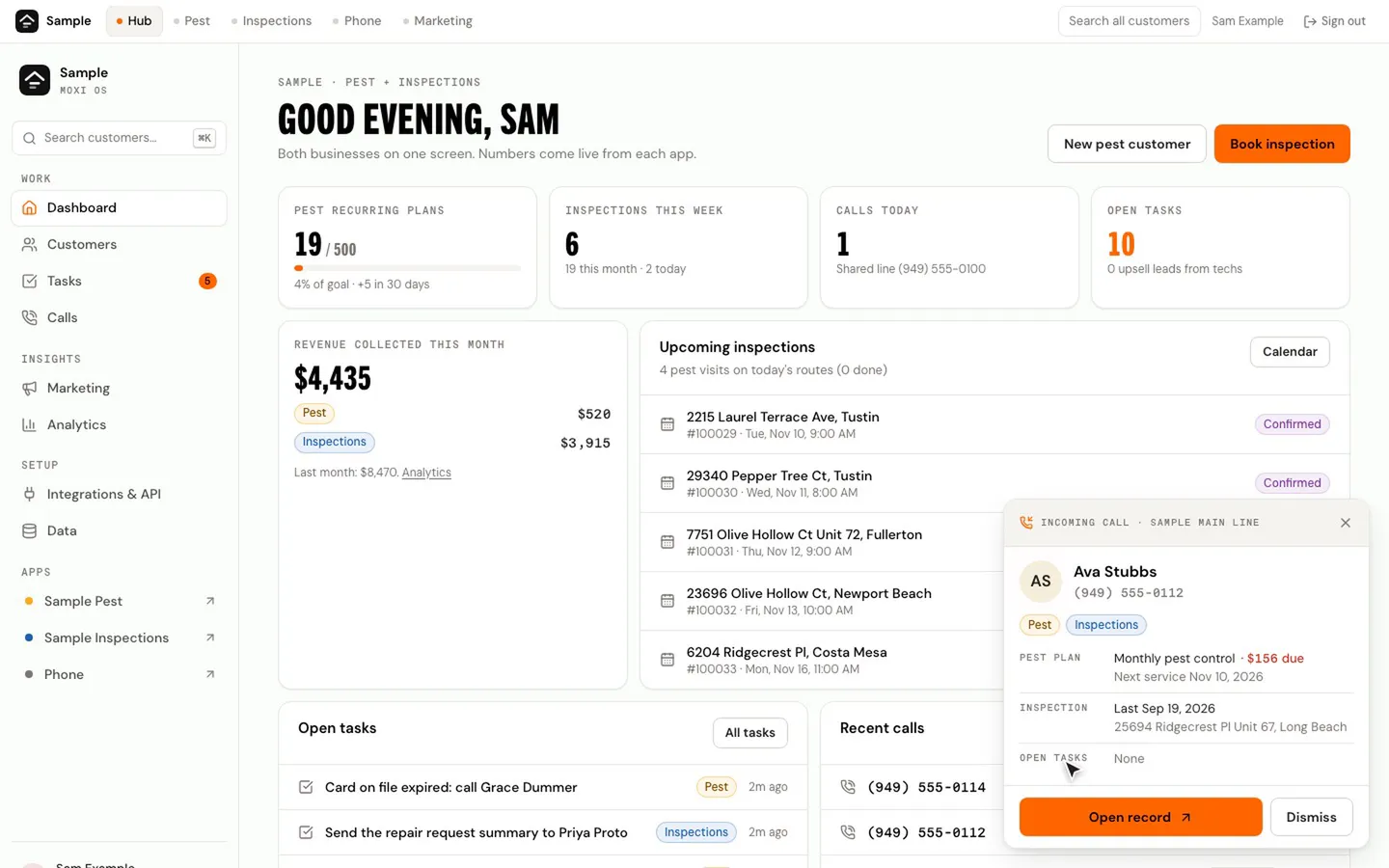
A call on your business line shows up on whatever screen you're on.
02 / 05
You knowwho it is.
Their name, their plan, what they owe and their last inspection, before you say hello.
03 / 05
Their historyopens.
One click opens the record. Visits, inspections, invoices and past calls sit on one timeline.
04 / 05
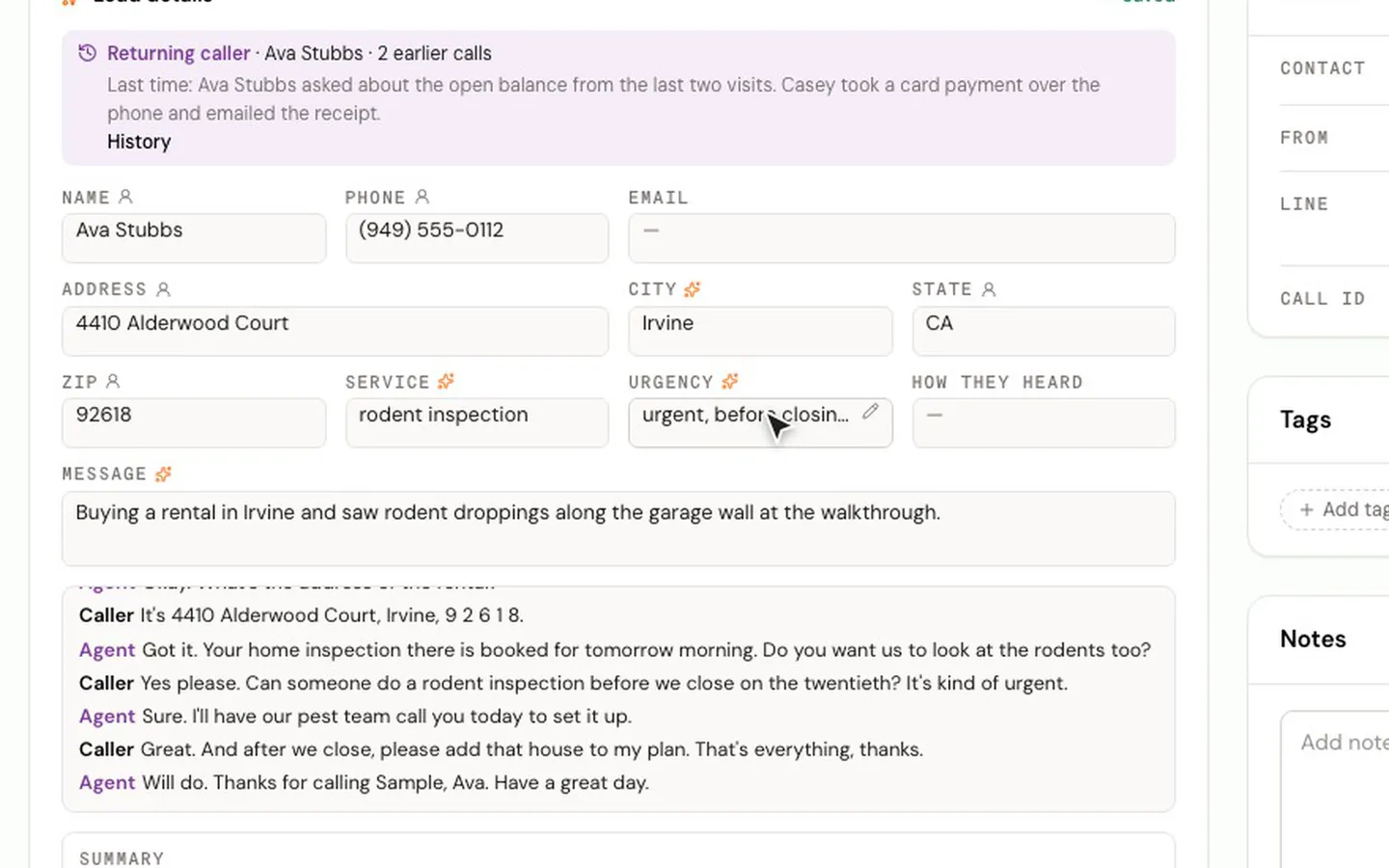
The noteswrite themselves.
The call is transcribed live, and the address, the problem and what they need fill in as they talk.
05 / 05
The follow-upis a task.
When they hang up there's a summary on the record and the next step is assigned to someone.
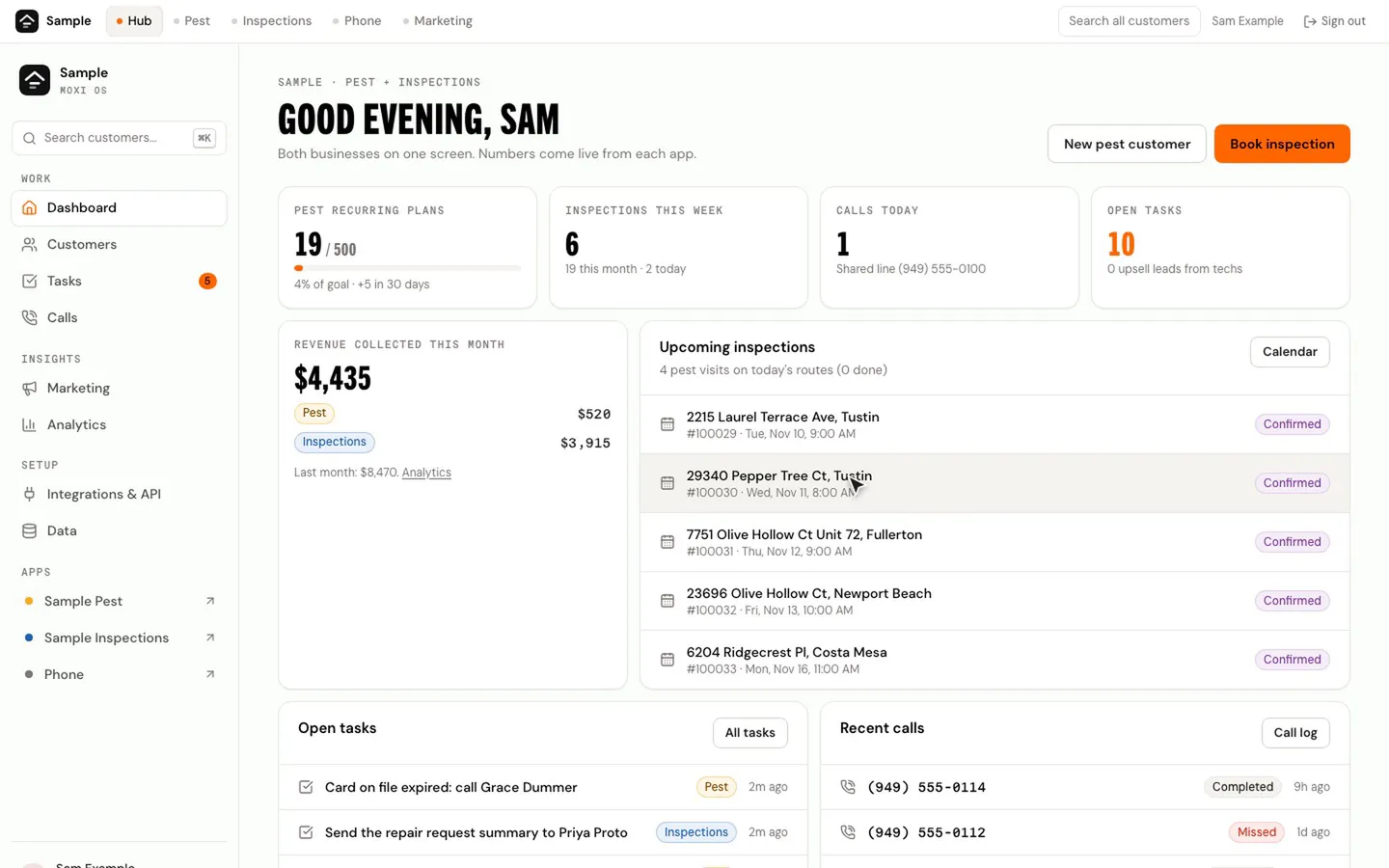
The Moxi OS dashboard, with an incoming-call card sliding in at the bottom right. 01 / 05
The phonerings.
A call on your business line shows up on whatever screen you're on.
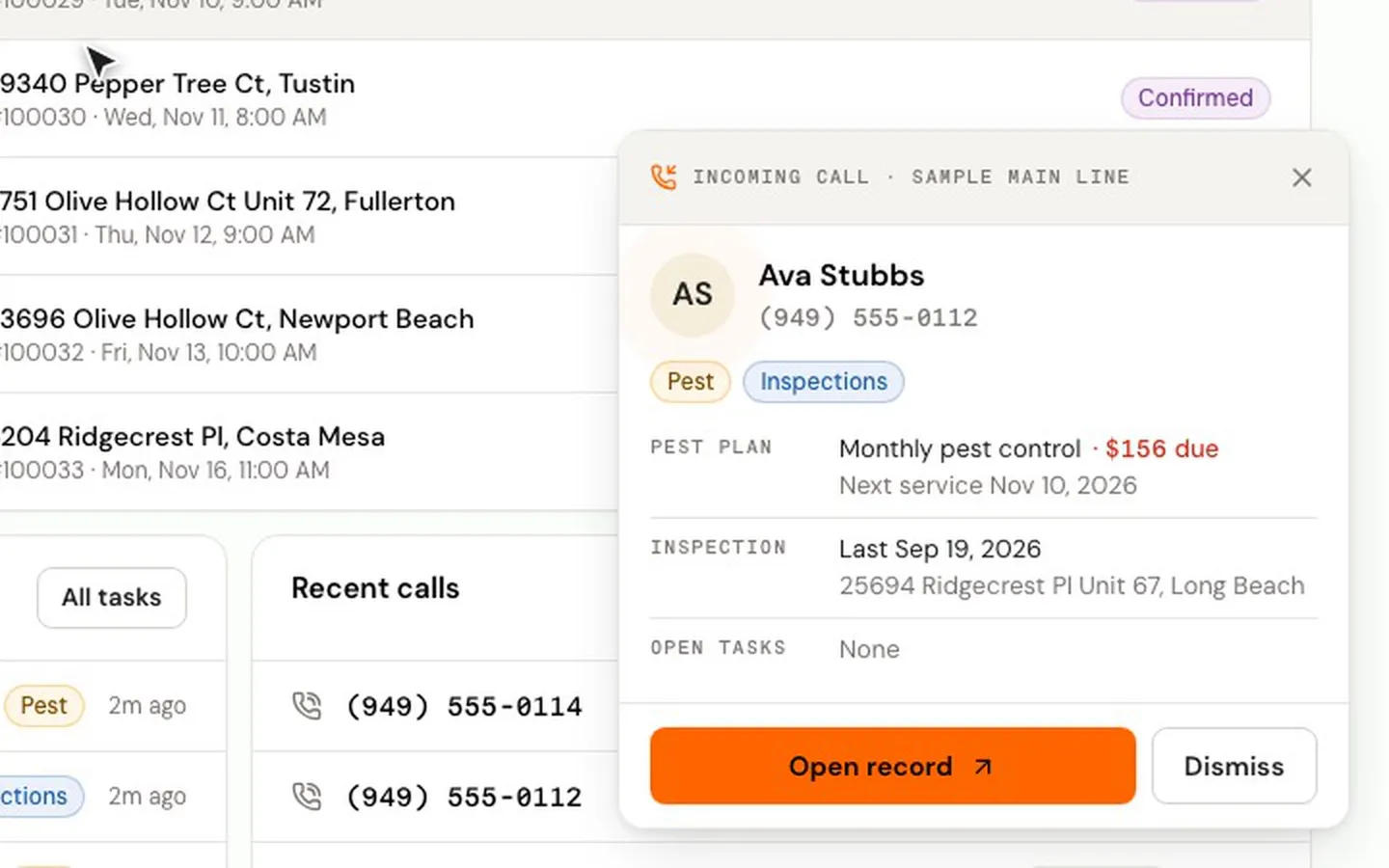
The incoming-call card for a demo customer: pest plan, balance due, last inspection and open tasks. 02 / 05
You knowwho it is.
Their name, their plan, what they owe and their last inspection, before you say hello.
The customer's record opening from the call card, then scrolling down its timeline. 03 / 05
Their historyopens.
One click opens the record. Visits, inspections, invoices and past calls sit on one timeline.
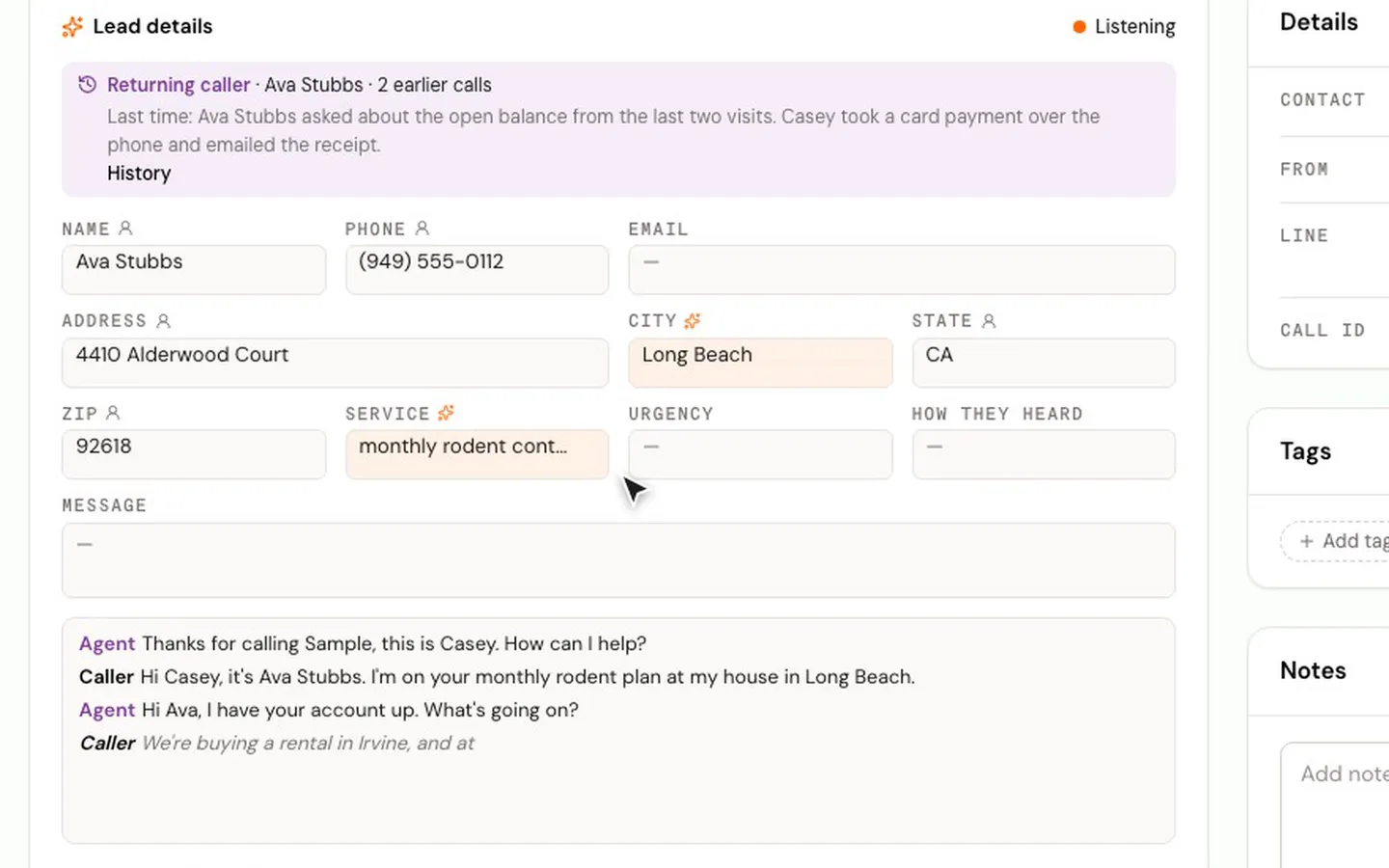
The live call screen: a running transcript, with the caller's address, service and message filling in. 04 / 05
The noteswrite themselves.
The call is transcribed live, and the address, the problem and what they need fill in as they talk.
The call summary saved on the call, then the follow-up task at the top of the customer's timeline. 05 / 05
The follow-upis a task.
When they hang up there's a summary on the record and the next step is assigned to someone.


Recorded in a demo workspace. The business and customer are fictional, and the call is a simulated sample call.
AI assistant
It takes the notes.
While your team talks, Moxi OS writes down who called, what they need and what happens next.
Transcript
Listening
Notes Moxi OS wrote
- Message
- City
- Service
- Urgency
An assistant that answers the phone when your team can'tComing soon
Phone
Its own phone
system. Built in.
Moxi OS has its own business phone system. It is part of the product, not a connection to a phone service you pay for somewhere else.
- Call routing: your hours, phone menus and ring groups decide who rings.
- Voicemail, with the message written out and sent to a shared inbox.
- Every call recorded and transcribed, with a short written summary.
- The caller's record pops up on screen while the phone is still ringing.
- Texting from the same lineComing soon

Customers
One record
per customer.
- The same person in two parts of your business is linked by phone, email or address.
- Visits, inspections, invoices, calls and tasks share one timeline, newest first.
- Search by name, phone, email or address from any screen.

Field service
Plans, routes
and visits.
- A recurring plan puts its own visits on the schedule.
- Drag a visit to another tech or another spot in the route, and it's saved.
- Techs get the day's stops in route order on their phone, with directions to each one.

Inspections
Booked, inspected,
delivered.
- Buyers and agents book online and see the price as they choose.
- Drag an inspection to move it. The calendar checks the inspector's working hours first.
- Agreements are signed online and the report is written on a phone.

Analytics
The numbers,
already added up.
- Revenue by business, by service and by month.
- Recurring plans counted week by week against your goal.
- Every table exports to a spreadsheet.

iPhone app
In your
pocket.
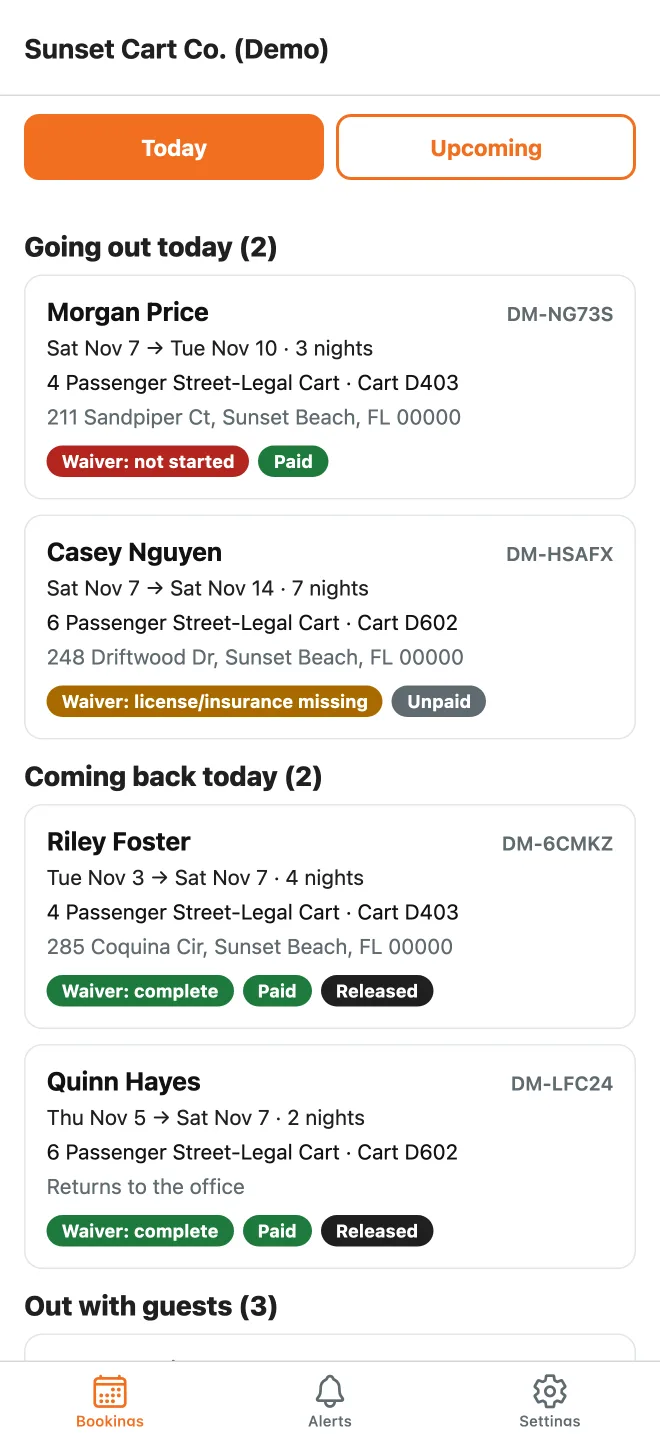
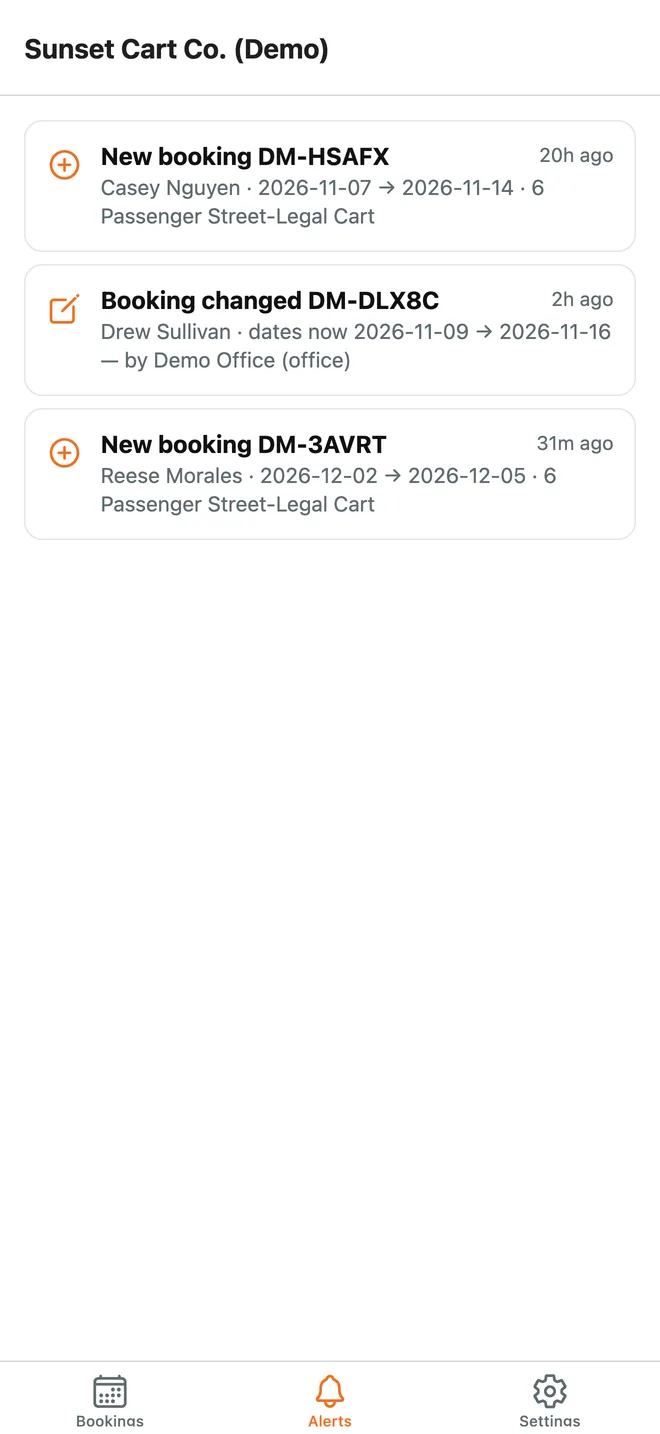
The Moxi OS app shows rental teams today's bookings and sends an alert when one is made, changed or cancelled.
Calls and inspections in the appComing soon
Switching
We move you in.
We set it up around you.
Your services, prices, team and phone menu go in the way you already work.
We move your records.
Moxi brings your customers and their history across. You don't re-key anything.
You switch when it's ready.
Run it next to what you use now, then move your phone line over when your team is comfortable.
See it runningon your business.
Every screen on this page is a demo workspace. The businesses, customers, phone numbers and addresses in it are fictional.