
Software
& Apps
Beyond the marketing, we build custom software around the way a specific business actually runs.
Choose a project to explore
Golf Cart Rental
Booking System
Tidal Wave on Amelia Island runs on a booking system we built. Guests pick their dates and carts, check out securely through Stripe, and sign the rental agreement on their phone. Staff run every cart, delivery and waiver from one admin.
The booking flow

Guests start on Tidal Wave's own website and tap Book Online or Reserve Your Cart.
Behind the login
The staff side holds real customer data, so these screens show demo bookings created for this page and deleted afterwards.
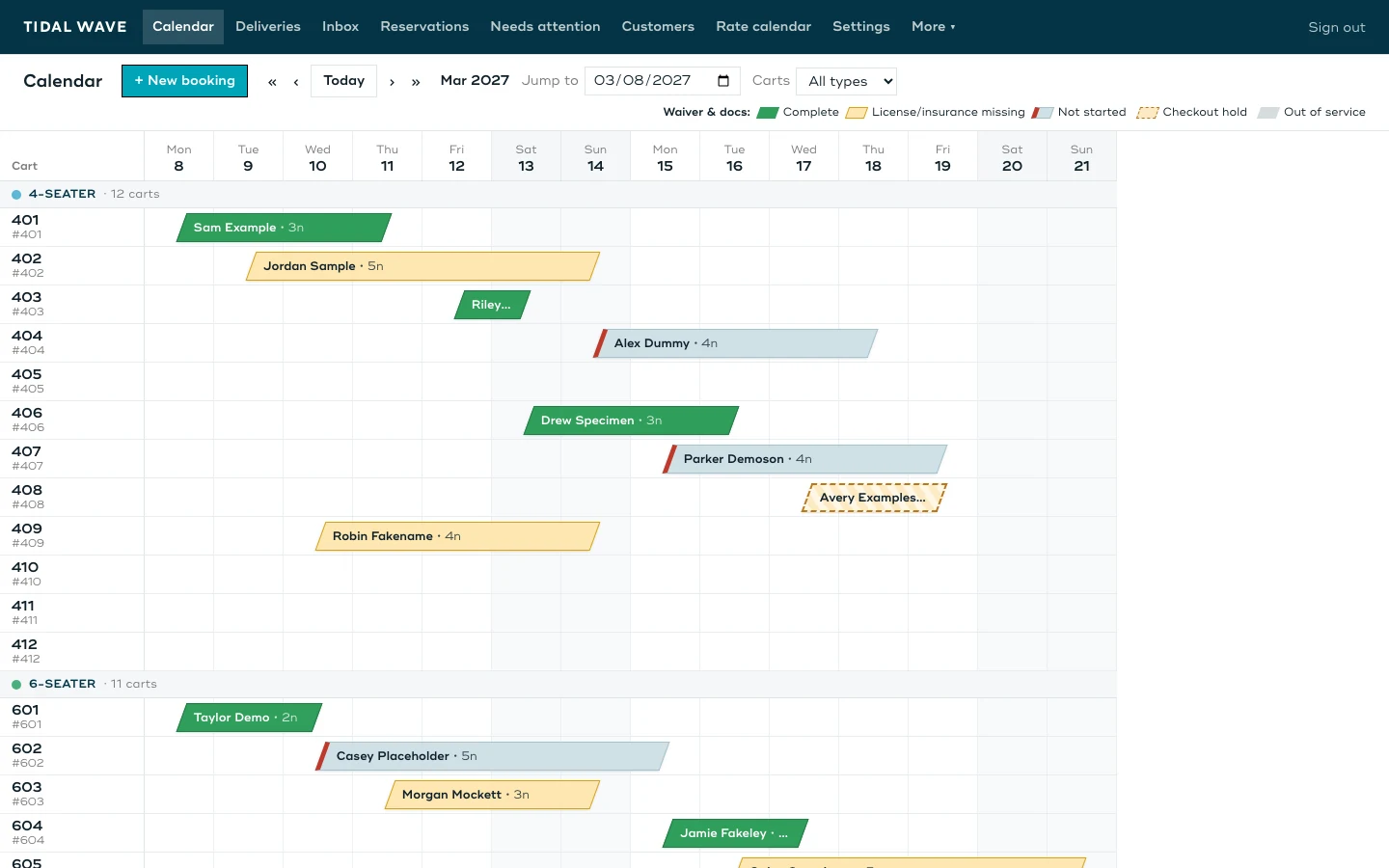
Every cart on one calendar, colored by waiver status. Staff can drag a booking to move or extend it.
Rental agreement,
signed on their phone
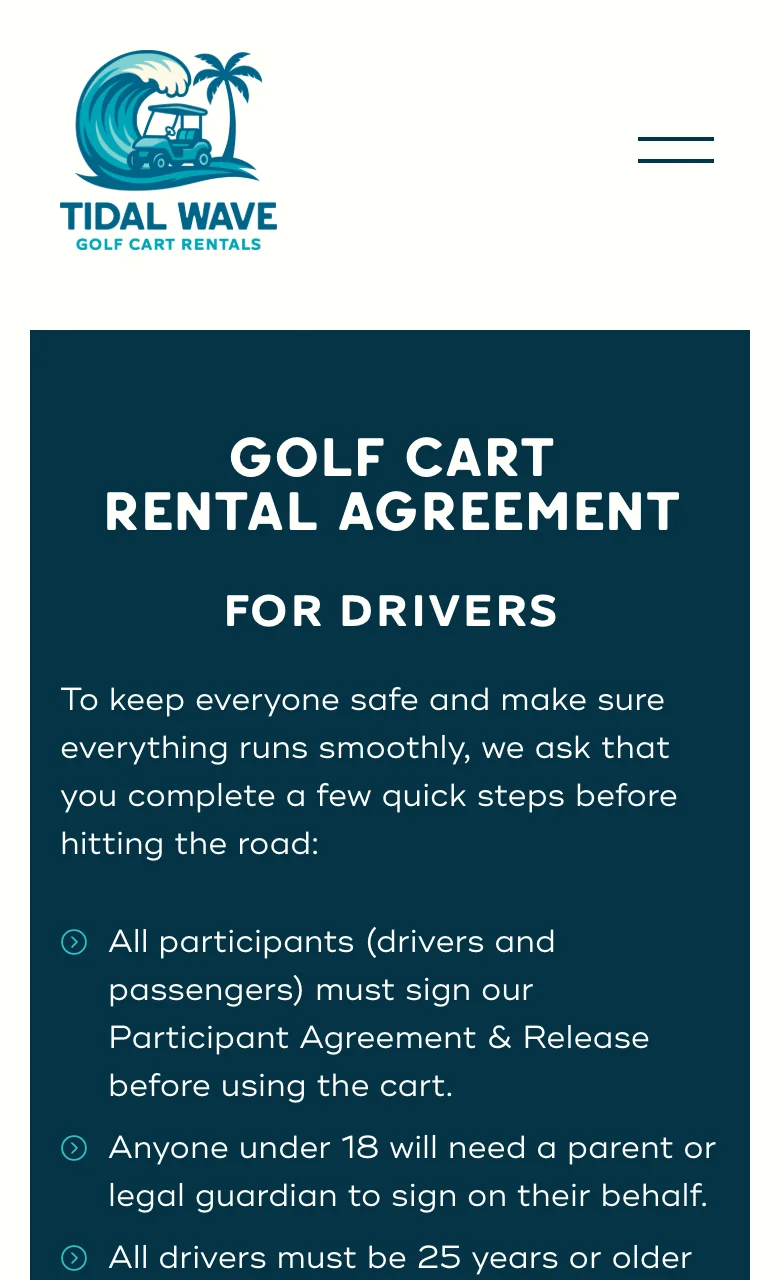
Every booking gets its own rental agreement. The customer reads it, uploads their license and insurance card, and signs with a finger on their phone. The signed waiver attaches to the booking automatically, and staff can see at a glance who still needs to sign.
Online
booking
Guests pick dates and carts, see the full price and check out securely through Stripe.
Digital waivers
with e-signature
Drivers sign the rental agreement and upload their license and insurance from their phone.
Card
payments
Stripe takes the payment online or by phone, and the card is saved for later charges.
Availability
calendar
Every cart on one calendar, so a cart is never booked twice.
Admin
dashboard
Staff run bookings, deliveries, customers and messages from one place.
Moxi OS
Business Software
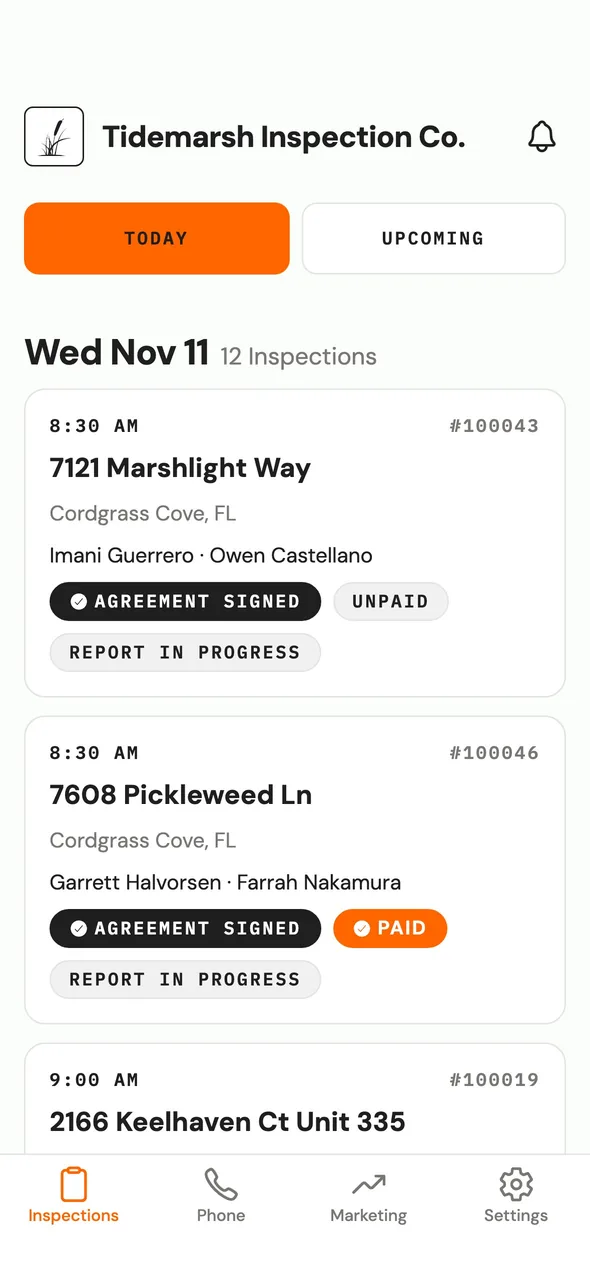
Moxi OS is the business software we're building for home service companies. Phones, customers, scheduling, routes, invoices and reporting live in one system, behind one login, so the whole team works from the same information. Calls and inspections in the iPhone app are coming soon.
How a business gets set up
- 1. Talk to Moxi. We set your business up in Moxi OS, with your services, your team and your branding.
- 2. Add your staff. Your admin creates an account for each person and picks their role. There's no sign-up.
- 3. Sign in. Staff sign in with their work email and a one-time code. There's no password to remember.


Instant Quote
& Shirt Proofs
Customers choose a garment, color, quantity and print, and the price comes straight from the shop's pricing sheet. Then they upload a logo, see it on the shirt, and order on the same page.

Customers start from the shop's standard picks, or enter a style number.
Instant
pricing
The price updates as customers choose, calculated from the shop's own pricing sheet.
See it on
your shirt
Uploaded art is placed on the chosen garment and color, front and back, at the size picked.
AI design
ideas
Customers without a logo can describe a design and get concepts to place on the shirt.
Artwork
upload
Logo and print files upload straight into the order and are stored privately.
Multi-garment
orders
Several garments and colors share one design in a single order, each with its own sizes.
Orders straight
to the shop
Each order lands on the shop's Monday board and in the office inbox with the files attached.
Have a process you
want built?
Book a quick Zoom and tell us how your business runs. We'll show you what we could build around it.